# How To Use GPT-6 Astra To Create Viral UGC Videos

Learn how to use GPT-6 Astra via UGCdrop MCP connection to create viral Tech ugc style videos that promote your product.

- **Reading time:** 1 minutes

## Content

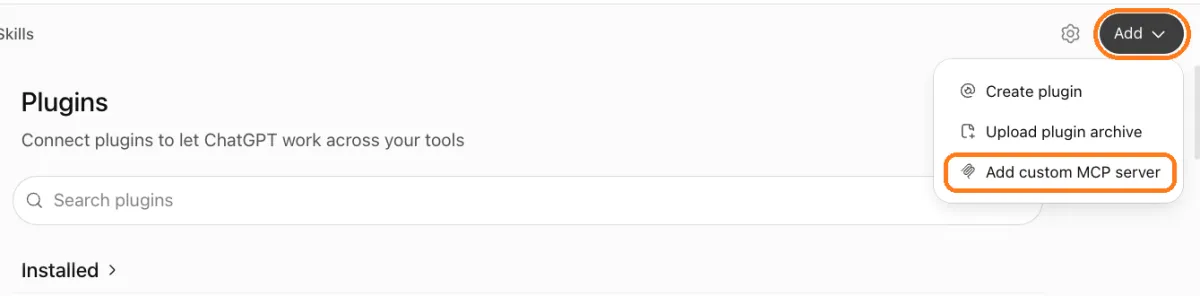
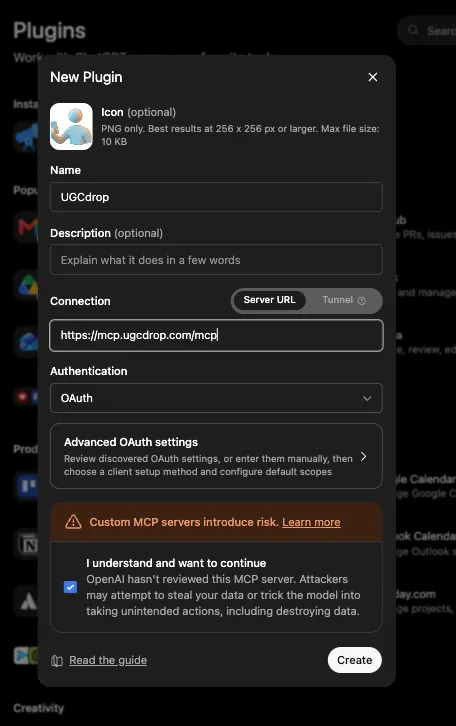
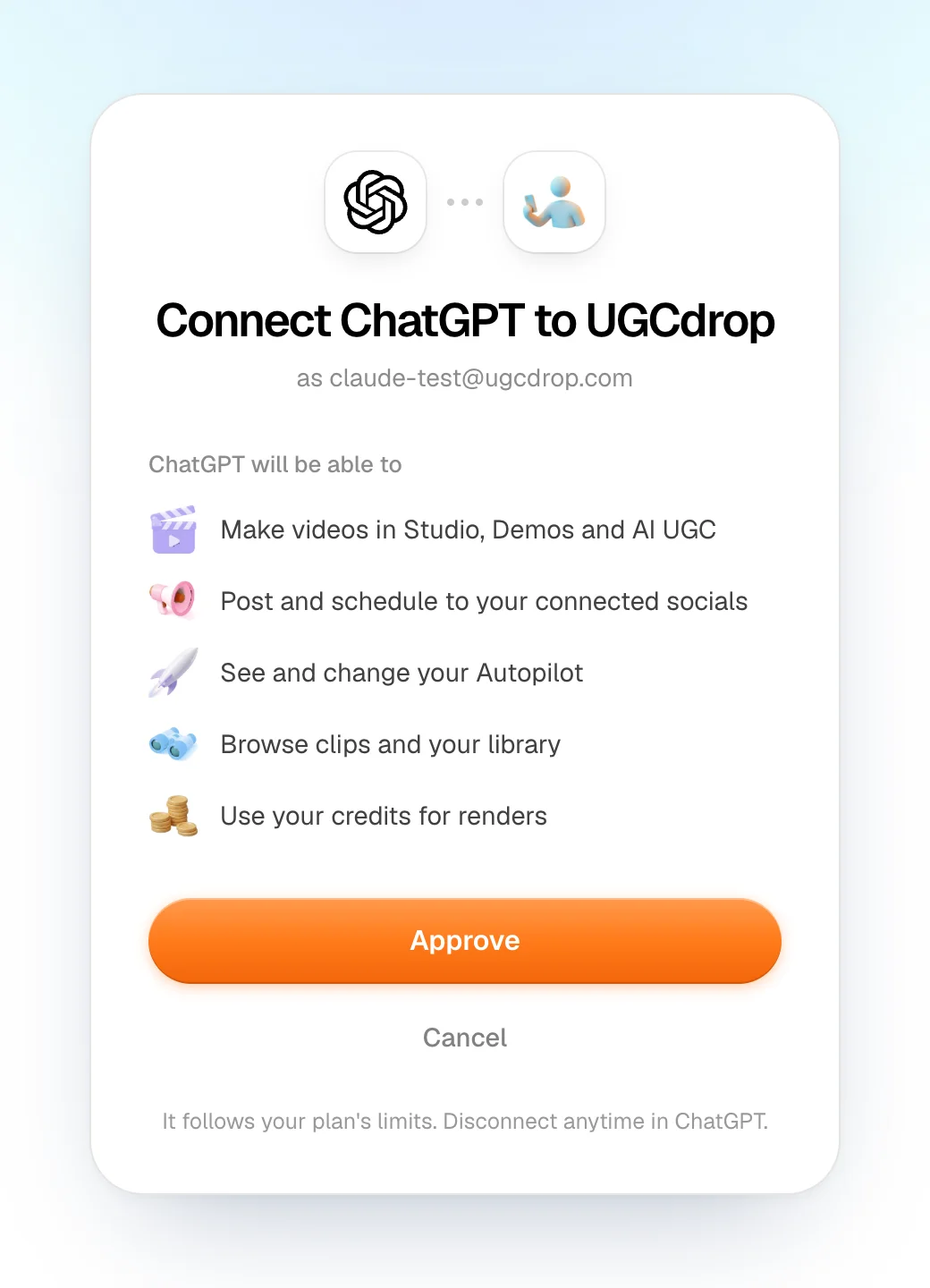
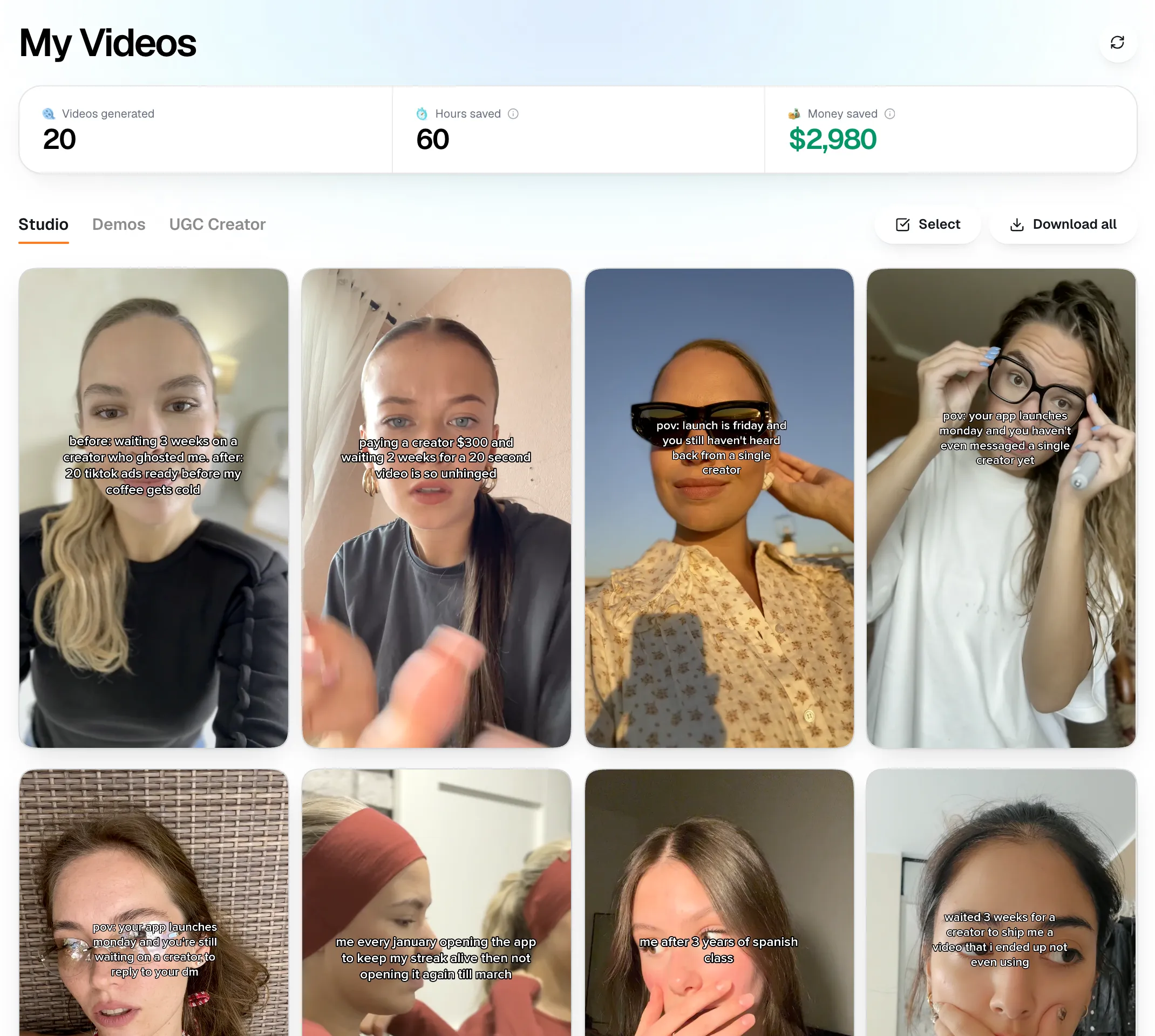
<h1><strong>Use GPT-6 Astra To Create Viral UGC</strong></h1><p><em>Generate UGC videos for your product just by chatting with GPT Astra. Setup takes about 5 minutes.</em></p><h2>What this does</h2><p>Connect UGCdrop to ChatGPT once. Then just ask in chat, and GPT-6 Astra writes hooks, picks trending audio and renders finished UGC videos for your product. No editing software, no hiring creators.</p><h2>What you need</h2><ul><li><p>A ChatGPT account</p></li><li><p>A 10–20 second demo video of your product (we can make it for you)</p></li><li><p>A UGCdrop account</p></li></ul><h2>Setup</h2><blockquote><p><strong>Added UGCdrop before 23 October 2026?</strong> Delete the old UGCdrop plugin in ChatGPT first. Then follow the steps below. Reconnecting the old one won't work.</p></blockquote><!--video:chatgpt-tutorial--><h3>Step 1: Add UGCdrop to ChatGPT</h3><ol><li><p>Open the Plugins page in ChatGPT.</p></li><li><p>Click <strong>Add</strong> in the top right.</p></li><li><p>Pick <strong>Add custom MCP server</strong>.</p></li></ol><p><a class="content-btn" href="https://chatgpt.com/plugins" target="_blank" rel="noopener noreferrer" contenteditable="false"><img src="https://backend.ugcdrop.com/storage/v1/object/public/avatars/e4cf509c-aa3d-4d4c-bb81-e4cf29a616bd/resources/inline/1788799008431-chatgpt-favicon.png" alt="" class="content-btn-icon"><span>Open Plugins in ChatGPT</span></a></p><img src="https://cdn.ugcdrop.com/resources/1793031000000-chatgpt-add-menu.webp" alt="ChatGPT Plugins page: Add, then Add custom MCP server" width="1200" height="295"><p>Fill in the box like this. Tap a value to copy it.</p><ul><li><p><strong>Name:</strong> <code>UGCdrop</code></p></li><li><p><strong>Server URL:</strong> <code>https://mcp.ugcdrop.com/mcp</code></p></li><li><p><strong>Authentication:</strong> leave it on OAuth</p></li></ul><p>Tick the consent box and press <strong>Create as a plugin</strong>.</p><img src="https://cdn.ugcdrop.com/resources/1788796441301-Screenshot_2026-09-07_at_21.22.39.webp" alt="The Add custom MCP server box filled in for UGCdrop" width="456" height="726"><h3>Step 2: Approve the connection</h3><p>ChatGPT now opens UGCdrop. If you're logged in, you'll see this screen. Press <strong>Approve</strong> and you're connected.</p><img src="https://cdn.ugcdrop.com/resources/ugcdrop-chatgpt-approve-2026-11.webp" alt="UGCdrop approval screen for ChatGPT" width="520" height="720"><p>No account yet? Create one first, then come back to this step.</p><p><a class="content-btn" href="https://ugcdrop.com" target="_blank" rel="noopener noreferrer" contenteditable="false"><img src="https://backend.ugcdrop.com/storage/v1/object/public/avatars/e4cf509c-aa3d-4d4c-bb81-e4cf29a616bd/resources/inline/1788799027630-ugcdrop-favicon.png" alt="" class="content-btn-icon"><span>Create Account in UGCdrop</span></a></p><h3>Step 3: Film a quick product demo</h3><p>Open your app and record yourself using one feature.</p><ul><li><p>10–20 seconds long</p></li><li><p>One feature, not a full walkthrough</p></li><li><p>No need to show your face</p></li><li><p>Cut out pauses and dead time</p></li></ul><p>Upload it to your UGCdrop library. It's what gets combined with the UGC clips.</p><h3>Step 4: Ask for your videos</h3><p>In ChatGPT, type something like:</p><blockquote><p>Make 5 videos about [your product] with UGCdrop and send them to me.</p></blockquote><p>GPT-6 Astra writes the hooks, picks the music and checks with you before rendering. Using only hooks you already own costs 0 credits.</p><h3>Step 5: Get your videos</h3><p>When rendering is done, ask GPT-6 Astra to "check now, please". Your videos also appear in <a target="_blank" rel="noopener noreferrer nofollow" href="https://ugcdrop.com/library">My Videos</a> in UGCdrop.</p><img src="https://cdn.ugcdrop.com/resources/ugcdrop-my-videos-2026-11.webp" alt="Finished UGC videos in UGCdrop My Videos" width="1070" height="960"><p><strong>Tip:</strong> repeat Step 4 whenever you want more: 5, 20 or 100 videos at once. Filming demos is the only manual work.</p><h2>That's it</h2><p>Film a demo, connect once, and let GPT-6 Astra do the rest. Post the videos, drive traffic, repeat.</p><p>Real results from this strategy, in 2 weeks:</p><img src="https://VidRain.b-cdn.net/Landingpage%20SC/Screenshot%202026-07-24%20144415.png" alt="Instagram insights: 729,822 views in 2 weeks"><p></p>

[View the live page](/free/how-to-use-gpt-6-astra-to-create-viral-ugc-videos)