How To Use Claude To Create Viral UGC Videos
Learn how to use claude via UGCdrop MCP connection to create viral Tech ugc style videos that promote your product.
Use Claude To Create Viral UGC
Generate UGC videos for your product just by chatting with Claude. Setup takes about 5 minutes.
What this does
Once MCP is connected, you can ask Claude to write hooks, pick trending audio, and render finished UGC videos for your product — all from a normal chat message. No editing software, no hiring creators.
What you need
A Claude account (claude.ai)
One short demo video of your product (10–20 seconds) (we can make it for you)
A UGCdrop account
Setup
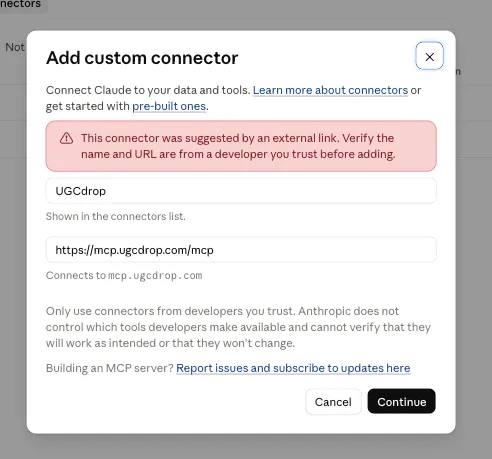
Step 1: Add UGCDrop as a connector in Claude
Press the button below to connect UGCdrop to Claude

Step 2: Press Continue and Approve
Press Approve in the dialog box after continue:
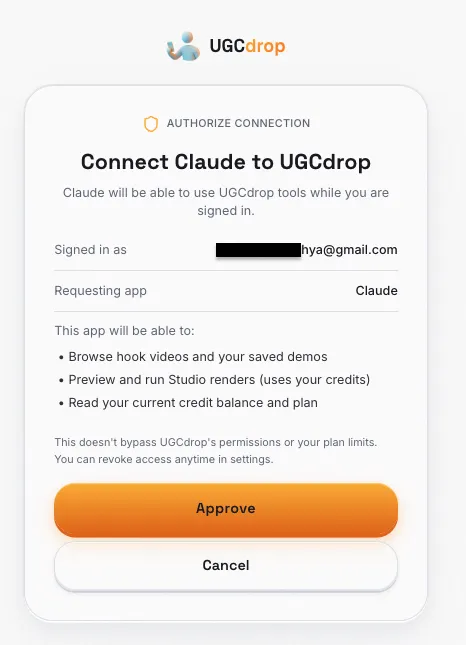
If you don't have an account, create one by pressing "Sign up" or click the button below
Step 3: Film a quick product demo
Open your app and record yourself using one feature. Keep it simple:
10–20 seconds long
Show one feature, not a full walkthrough
No need to show your face
Cut out pauses and dead time
Upload this demo to your UGCDrop library — it's what gets combined with the UGC clips.
Step 4: Ask Claude to make your videos
In your Claude chat, just type something like:
"Make 5 videos about [your product] and send them to me."
Claude will write the hooks, pick the music, and confirm with you before rendering. If you're only using hooks you already own, this costs 0 credits.
Step 5: Get your videos
Once rendering is done, ask Claude to "check now, please." Your finished videos will be ready in your UGCDrop Studio at ugcdrop.com/studio.
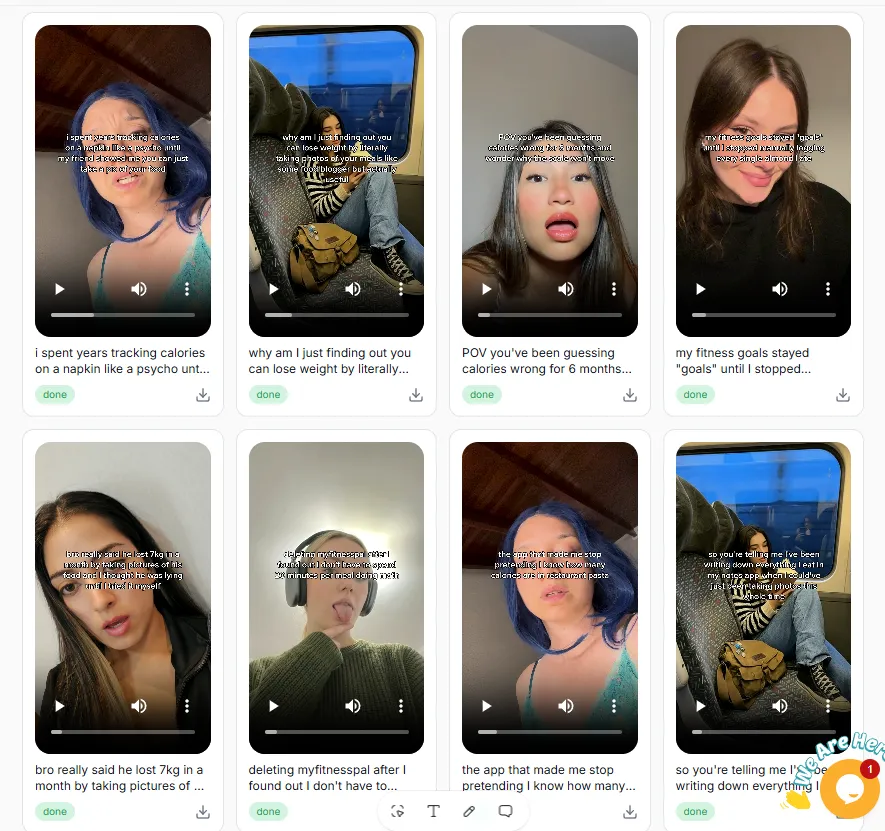
Tip: Repeat step 4 anytime you want more videos — 5, 20, or 100 at once. The only manual work on your end is filming demos.
That's it
Film a demo, connect once, and let Claude handle the rest. Post the videos, drive traffic, repeat.
Below are real results following this strategy, generated in 2 weeks
