Unlimited Emails for TikTok and Instagram Accounts (iCloud Hide My Email)
Why email aliases get many accounts flagged, and how to create unlimited clean emails for new TikTok and Instagram accounts with iCloud Hide My Email.
Creating many TikTok or Instagram accounts needs a new email for each one. Plus-aliases work for a few accounts, but not for dozens or hundreds. iCloud Hide My Email gives you as many unique addresses as you need, from a domain with a strong reputation.
What you will learn
1. Why email aliases stop working
With aliases (for example [email protected]), every account is tied to the same email domain.
For about 5 to 10 accounts that is usually fine. Above that, you risk getting flagged.
If the domain has a weak reputation, accounts perform worse.
If one account gets banned, the others tied to the same address can be affected.
2. What Hide My Email is
It is an iCloud feature that creates a random, unique email address for each sign-up, forwarding to your real inbox.
It needs iCloud+, which costs around $2 a month.
You can create as many addresses as you want, and the addresses come from Apple's domain, which has an excellent reputation.
3. How to create the addresses
On your iPhone, open Settings and tap your name (Account).
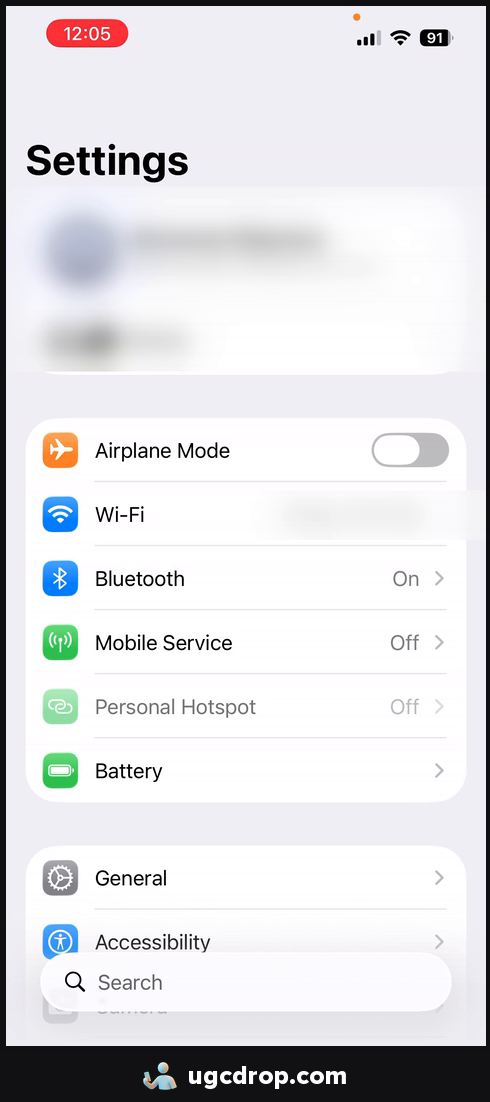
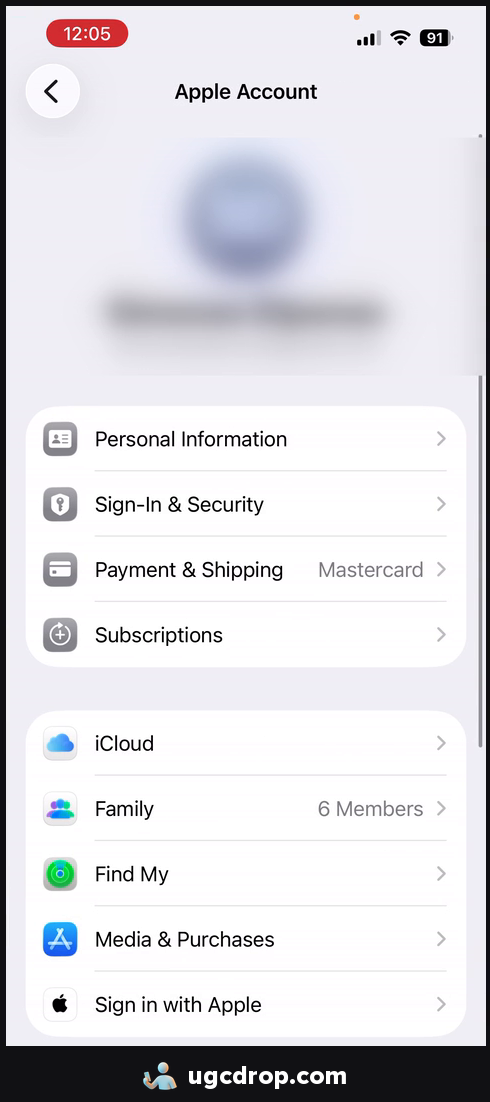
Go to iCloud and scroll down to Hide My Email.
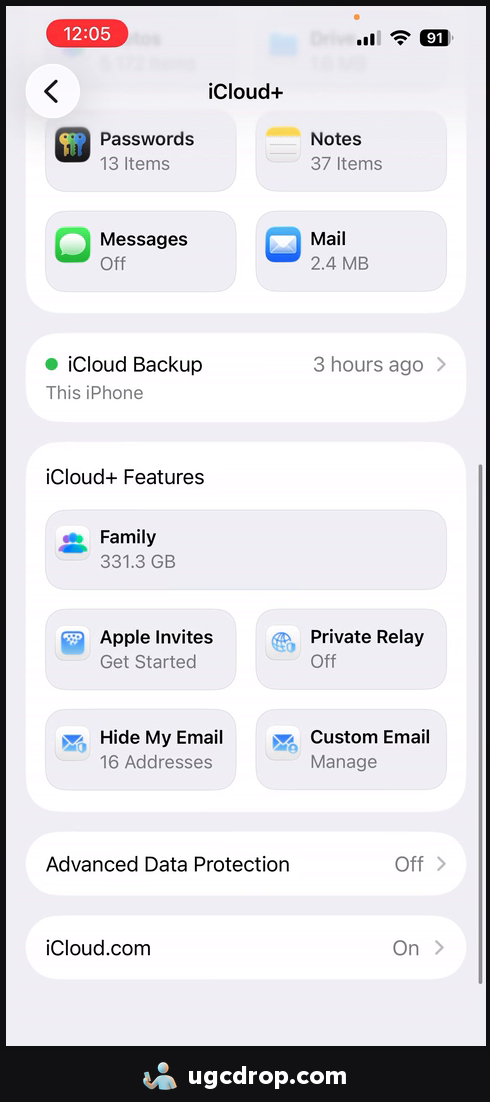
If you cannot find it, you probably do not have iCloud+ yet. Subscribe in the same Settings screen and it will appear.
Tap Create New Address.
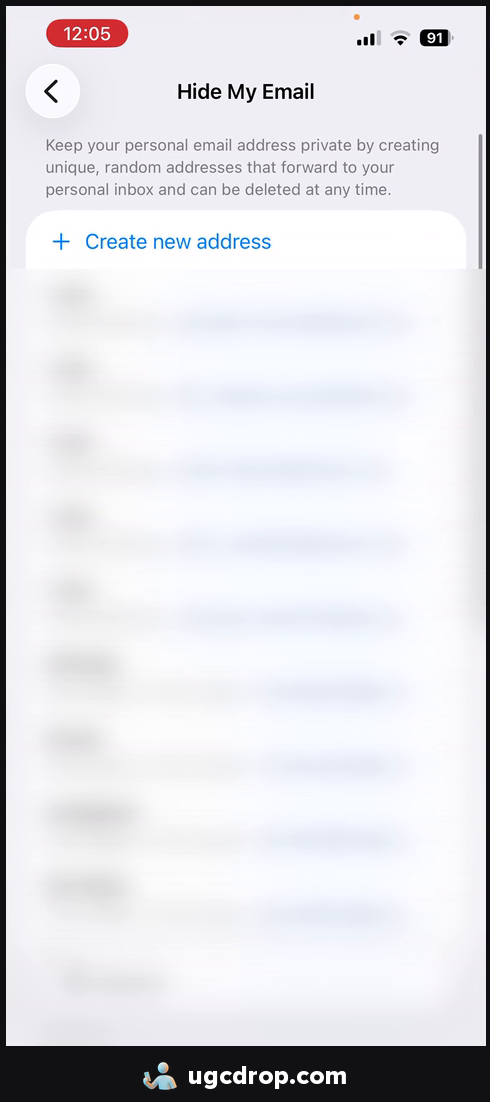
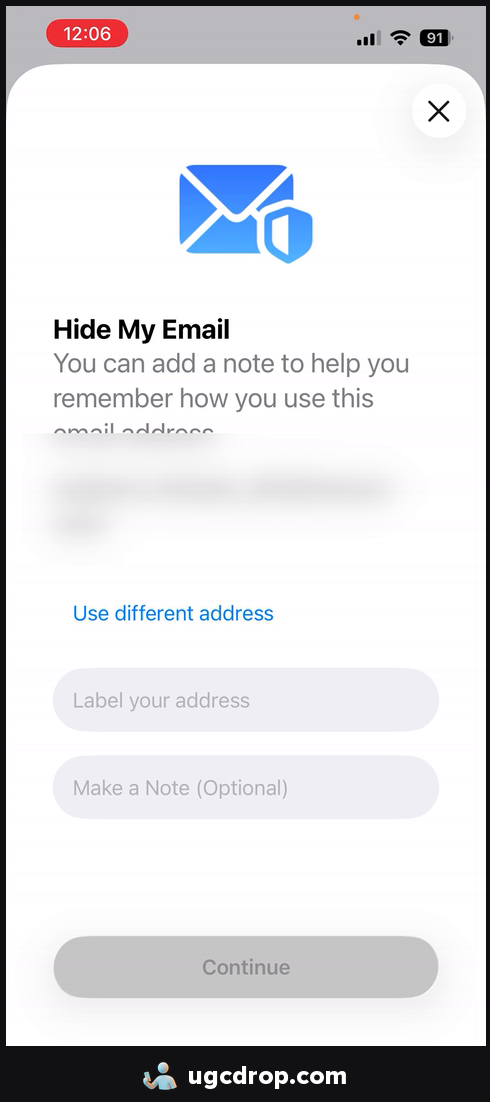
Use that address to sign up for one account. Repeat for every new account.
One address per account means no account shares an email with another, which avoids the problems of aliases.
4. The one rule: iOS devices only
Use these emails only on iOS devices. It does not work well on Android.
If you run accounts on iPhones, Hide My Email is a good fit.
If you run accounts on Android devices, do not use iOS emails.
Keep it to about 5 accounts per device at most.
Checklist
Set up your profile Fix zero views
Need content for those accounts?
Many accounts need many videos. Make UGC videos for your app without showing your face or hiring creators.