AI UGC (2026): Does It Work? AI vs Real Clips
AI UGC is a video ad made to look like user-generated content, but the person in it is generated by AI instead of filmed. It works for paid ads when you need speed or a product in someone's hands, but viewers often spot it, and for consumer brands that costs trust. For most ads and all organic posts, real creator clips still win on looks and are just as fast.
TL;DR
What it is: AI avatars or AI-generated people delivering a UGC-style ad, made from a script, a photo or a reference clip.
Does it work: sometimes. It's fast and cheap to iterate, but it often takes many regenerations to get a usable take, and consumers call out AI in the comments.
Use AI for: paid ads where speed matters, many variations of one winning script, and product-in-hand shots you can't film yet.
Use real UGC for: organic content, consumer apps and any ad where trust matters. Real clips start at $0.50 each, so price is no longer the reason to pick AI.
Best pick: UGCdrop (real clips first, AI when you need it)
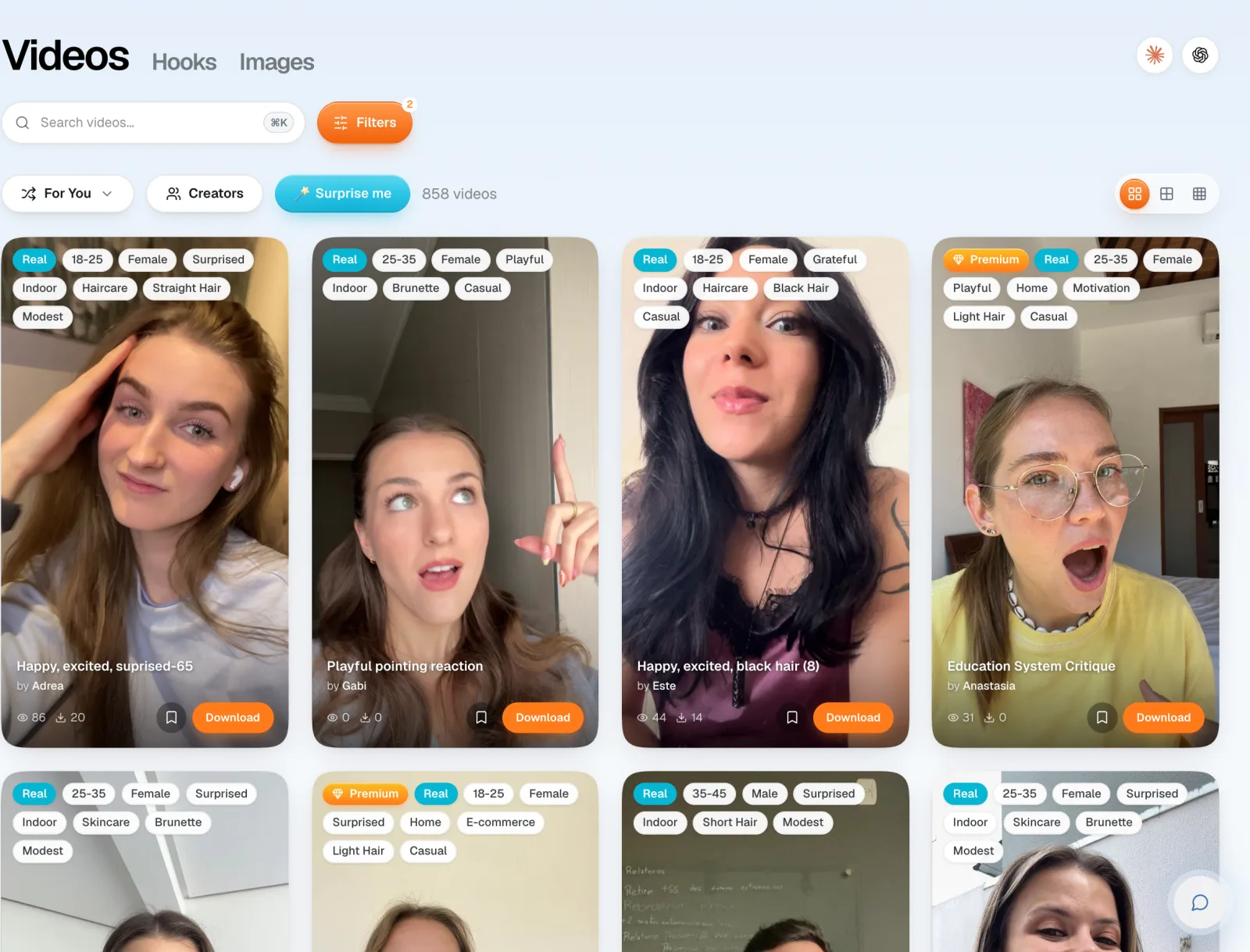
Most AI UGC tools only sell AI. UGCdrop has both. The library has 4,600+ clips, 3,600+ of them from real creators, and a Real filter shows only those, and UGC Creator (Beta) generates AI videos when you need them. So you can pick per ad instead of committing to one approach.
Browse real UGC clips or see the AI UGC video generator.
What AI UGC is, and the three types
AI UGC copies the look of creator content: a person talking to a phone camera, casual setting, handheld feel. The difference is that no one filmed it. There are three main ways tools make it:
AI avatars reading a script. You type a script, pick an avatar, and the tool generates a talking-head video with lip-synced speech. This is what tools like Arcads, MakeUGC and HeyGen are known for.
Character swap from a reference clip. You pick a real clip whose hook already works, add a character (a photo, a saved avatar or a text description), and the AI generates a new video with the same delivery. UGCdrop's UGC Creator works this way.
Fully generated scenes. Text-to-video models generate a whole UGC-style scene, including product shots, from a prompt.
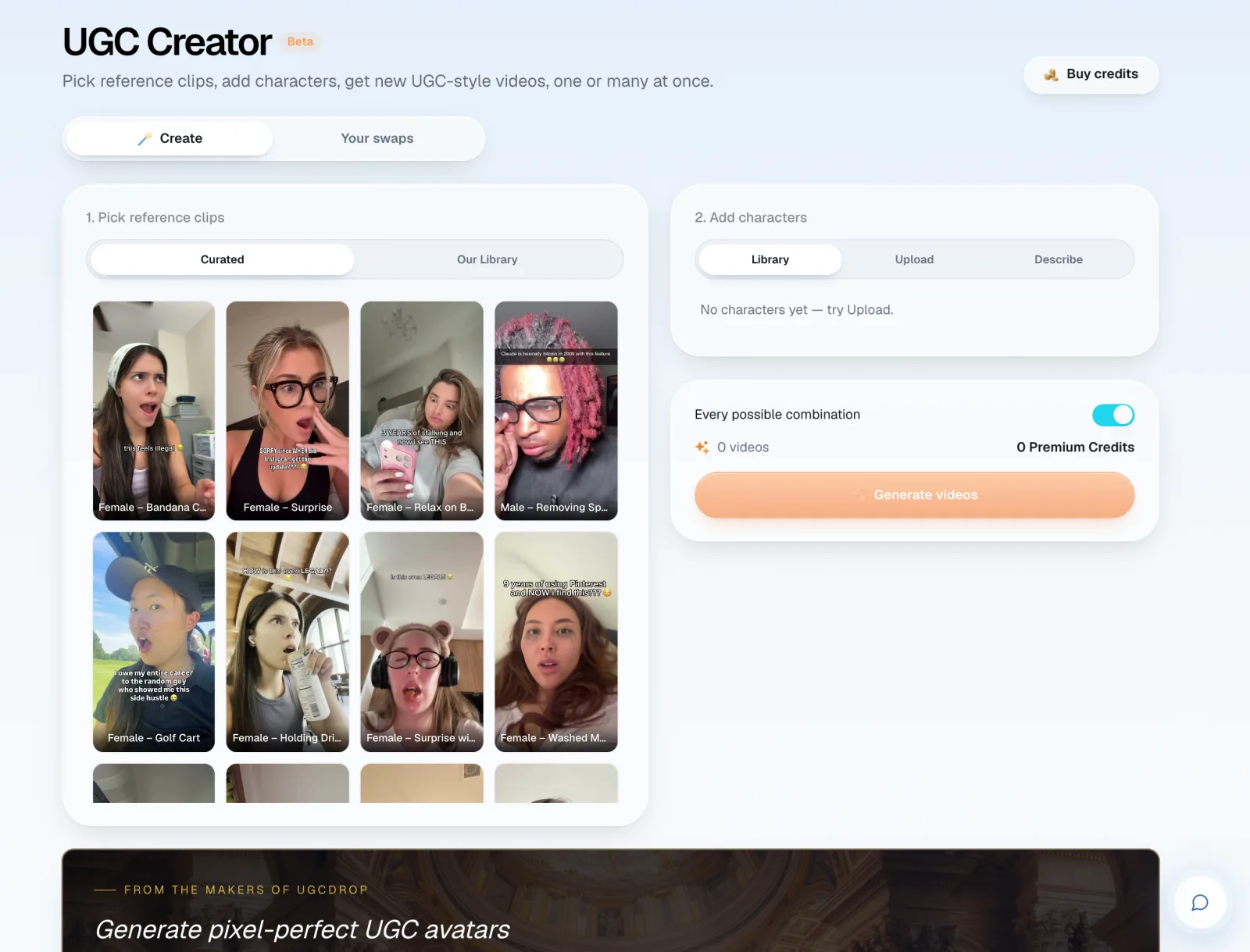
All three are different from a UGC stock clip, which is real footage of a real person that you license. More on that below.
Does AI UGC work?
Simonas, UGCdrop's founder, has run UGC ads for four years and tested AI tools including HeyGen and Higgsfield. His answer: it works, with limits.
Consumers dislike AI. People call it out in the comments, and that hurts the ad and the brand. Simonas wouldn't use it for consumer apps for this reason.
It takes many tries. There are almost always issues: odd hands, off lip-sync, a strange blink. It usually takes many regenerations to get one usable video, and that time adds up.
It has an "AI vibe". Even good outputs can feel slightly off. UGC works because it looks like a post from a friend, and anything that breaks that feeling costs you the scroll-stop.
Cost per video matters less than you think. Whether a video costs $10 or $50, you make it once and keep running it if it wins. The real cost is the time spent fixing bad takes.
Simonas's overall view is that AI UGC has a place, but he doesn't see much need for it when real clips are this cheap. For the full case against avatars, see our AI avatar platforms review.
When to use AI UGC, and when to use real UGC
This is the part most AI UGC pages skip, because they only sell one option.
Pick AI UGC when
You need speed for a paid ad. You don't want to wait for creators, and you have the budget and time to regenerate until it looks right.
You need your product in someone's hands. If you sell a physical product and need a person holding it this week, AI can get you there faster than shipping samples to creators.
You're scaling a proven script. Once a script wins, AI can make many versions with different characters for testing.
Pick real UGC when
It's organic content. Paying for AI generation on every organic post makes no sense, and organic audiences are the quickest to call out AI.
You sell to consumers. Consumer audiences are the ones most likely to spot and reject AI.
You want the hook to stop the scroll. A real surprised or crying reaction is the strongest hook format. In our download data, surprised, shocked and excited reactions are the most-downloaded clips.
You want it today. A licensed real clip is ready in minutes, with no regenerations.
AI UGC vs real UGC vs hiring creators
| AI UGC | Real UGC clips (UGCdrop) | Hiring creators | |
|---|---|---|---|
| Cost per video | About $6 (UGCdrop UGC Creator) to ~$11 (Arcads) | From $0.50 | ~$100 |
| Time to first ad | Minutes, plus regenerations | Minutes | Days to weeks |
| Real person | No | Yes | Yes |
| Risk of "this is AI" comments | High | None | None |
| Can hold your product | Yes (generated) | No | Yes |
| Says your brand name | Yes | No (use a text hook) | Yes |
| Good for organic | Rarely | Yes | Yes |
UGC Creator charges 2 Premium Credits per generated video, and Premium Credits are $3 each. Real clips start at $0.50 on the Unlimited plan ($99 a month for 200 downloads).
AI UGC ads: three setups that make sense
You don't have to pick one side for the whole ad. These are the setups we'd use, from safest to most AI-heavy.
1. Real hook, real demo (no AI)
A real creator's surprised reaction with a text hook, then a screen recording of your app, over a trending sound. This is the format UGCdrop uses to market itself. Simonas ran the same format for Tikomate, a digital product: it sold hundreds of copies, brought in around 2,000 leads, and the videos average around 100,000 views each. No AI involved, and nothing for viewers to call out.
2. Real hook, AI product shot
Open on a real reaction, then cut to an AI-generated shot of someone holding or using your product. The first two seconds, where the viewer decides to stay, are real. The AI part only fills the shot you couldn't film yet. This suits physical products before you have creator footage.
3. AI character, proven hook
Take a real clip whose hook already works and generate new versions with different AI characters, so you can test which face fits your buyer. This is what UGC Creator and the AI UGC Hook Generator are built for. Use it for paid tests, and keep the winning versions short.
Whichever you pick, test it against a real-clip version with the same hook. That's the only fair way to know whether AI helps or hurts for your audience.
AI UGC tools: what to look at
We've reviewed the main tools in detail elsewhere, so here's the short version of what to compare:
Realism of the face and hands. Watch outputs at full size on a phone, not as thumbnails.
Lip-sync and voice. Robotic pacing gives AI away faster than the face does.
Price per usable video. Not per generation. If you need five tries for one keeper, the real price is five times higher.
Rights. Check that you can use the output in paid ads, and what happens to it if you cancel.
Real footage option. A tool that also has real clips lets you test AI against real on the same hook.
Full comparisons: 7 best AI tools for UGC ads, Arcads review and MakeUGC alternatives.
Is AI UGC legal?
Using AI to make an ad is legal. What can get you in trouble is how you use it. Three rules to follow (this is general information, not legal advice):
Don't fake testimonials. An AI person saying "this changed my life" presents a customer experience that never happened. In the US, the FTC's rule on fake reviews and testimonials covers AI-generated ones too. Use AI for hooks and demos, not for invented reviews.
Label it where the platform asks. TikTok requires realistic AI-generated content to be labelled, and TikTok Ads Manager has an AI-generated content disclaimer setting for ads. Meta also labels AI content and has its own disclosure rules. Check each platform's current ad policy before you launch.
Don't use real people's faces without permission. Generating a video of someone who didn't agree to it is a deepfake. UGCdrop's license bans using its clips for deepfakes or deceptive ads.
Mistakes that make AI UGC look fake
Too perfect. Studio lighting, perfect skin and a clean background read as AI or as an ad. Real UGC is a bit messy.
Long monologues. The longer an avatar talks, the more chances viewers get to spot it. Keep AI segments short.
Hands and products. Fingers and objects in hands are where generation breaks most. Check every frame.
Generic scripts. "Hey guys, I just found this amazing product" sounds like AI even when it's real. Write in your audience's own words.
A cleaner fix: open with a real reaction clip as the hook, then cut to your product demo. The first two seconds, where people decide to stay, are real.
How to make a UGC ad in UGCdrop (real or AI)
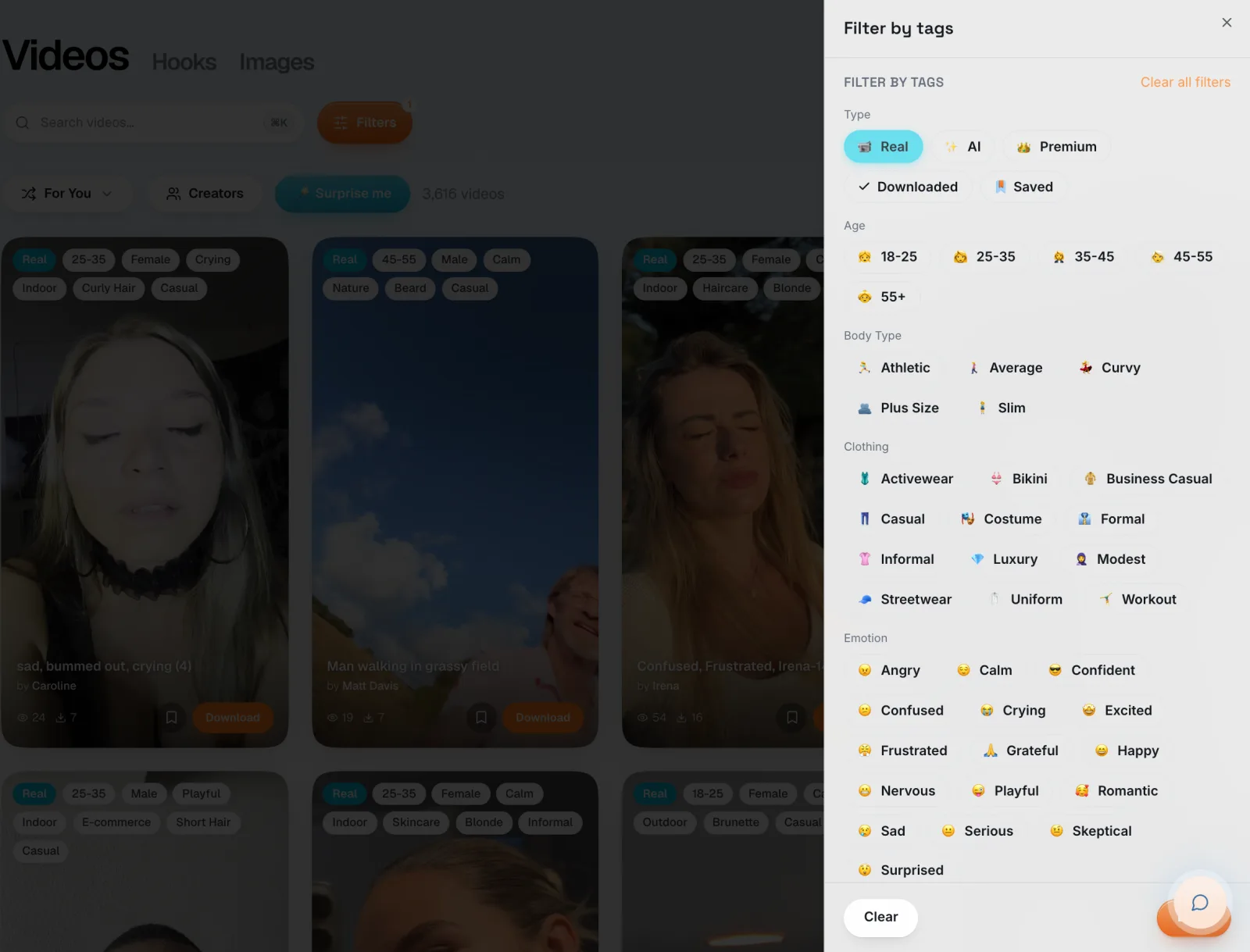
Pick your footage. In the library, open Filters and choose Real to see only real creators. Or open UGC Creator to generate an AI version from a reference clip.
Add a hook. In Studio, type a text hook in your buyer's words, or let "Help me write" generate them.
Add your demo. Upload a screen recording, or use Demo Creator (Beta) to generate an app demo.
Add music and render. Rendering is free. Only downloads use credits.
FAQ
What is AI UGC?
AI UGC is a UGC-style video ad where the person is generated by AI instead of filmed. It's made from a script, a photo or a reference clip, and designed to look like a creator's phone video.
Does AI UGC work?
It can work for paid ads, especially for fast testing. But it often needs many regenerations, and consumers frequently spot it and call it out, which hurts trust. Real clips usually perform more reliably for hooks.
Is AI UGC legal?
Yes, making ads with AI is legal. Don't present AI people as real customers giving testimonials, follow each platform's AI labelling rules, and don't generate real people without their consent.
How much does AI UGC cost?
Roughly $6 to $11 per video on common tools (2 Premium Credits on UGCdrop's UGC Creator, around $11 on Arcads), before regenerations. Real UGC clips start at $0.50, and creators charge around $100 per video.
Can people tell if a UGC video is AI?
Often, yes. Hands, lip-sync, skin that's too smooth and flat delivery give it away. Consumer audiences are quickest to notice and comment.
How do you get paid for AI UGC?
Some freelancers sell AI UGC as a service to brands on marketplaces like Upwork. If you film real footage, you can sell it instead: UGCdrop pays creators for real clips through its sell your videos program.
Should I use AI UGC for TikTok?
For paid TikTok ads you can, if you label it where required and test it against real clips. For organic TikTok, real content is the safer bet, because the audience is quick to call out AI.
Bottom line
AI UGC is a real option for paid ads when you need speed, many variations or a product in hand. It's a poor fit for organic content and consumer brands, where viewers call it out. Since real creator clips now start at $0.50, test a real reaction hook first and bring in AI only where real footage can't do the job.
Browse real UGC clips · Try the AI UGC generator · See pricing