Free B Roll Footage (2026): 6 Sources for Ads
Free b roll footage is easy to find: Pexels, Pixabay, Mixkit and Coverr all let you put their clips in commercial projects without paying or crediting anyone. The catch for ads is the look. Free stock B-roll is cinematic, mostly horizontal, and reads as advertising, so it often underperforms on TikTok and Reels. Below are the free sources with their ad licenses checked, plus where to get phone-shot B-roll that looks like UGC.
TL;DR
Best free sources: Pexels, Pixabay, Mixkit and Coverr. All free for commercial use, no attribution needed. Vecteezy's free license requires credit.
The rule most people miss: you can't use free stock people as fake fans. Pexels bans implied endorsement, and Pixabay bans misleading use.
Best for social ads: phone-shot UGC B-roll. Film your own for free, or use UGCdrop's library from $0.50 per clip.
Format: vertical 9:16, 1080p, 24 or 30 fps, no HDR.
Best pick for ads: UGCdrop
To be clear up front: UGCdrop isn't free. It's on this list because it solves the problem free sites don't. Its B-roll is filmed on phones by real creators, in real homes and offices, so it looks like a person's post instead of a commercial.
Simonas, UGCdrop's founder, has run UGC ads for four years. His view is blunt: free B-roll that works in social ads barely exists, apart from what you film yourself. Stock footage doesn't perform well on social media. Organic-looking B-roll does.
Two ways to get it on UGCdrop:
UGC library B-roll: 650+ real-creator clips, like typing on a laptop, walking, chores and skincare. One credit each, from $0.50 per clip on Unlimited. Licensed for your ads.
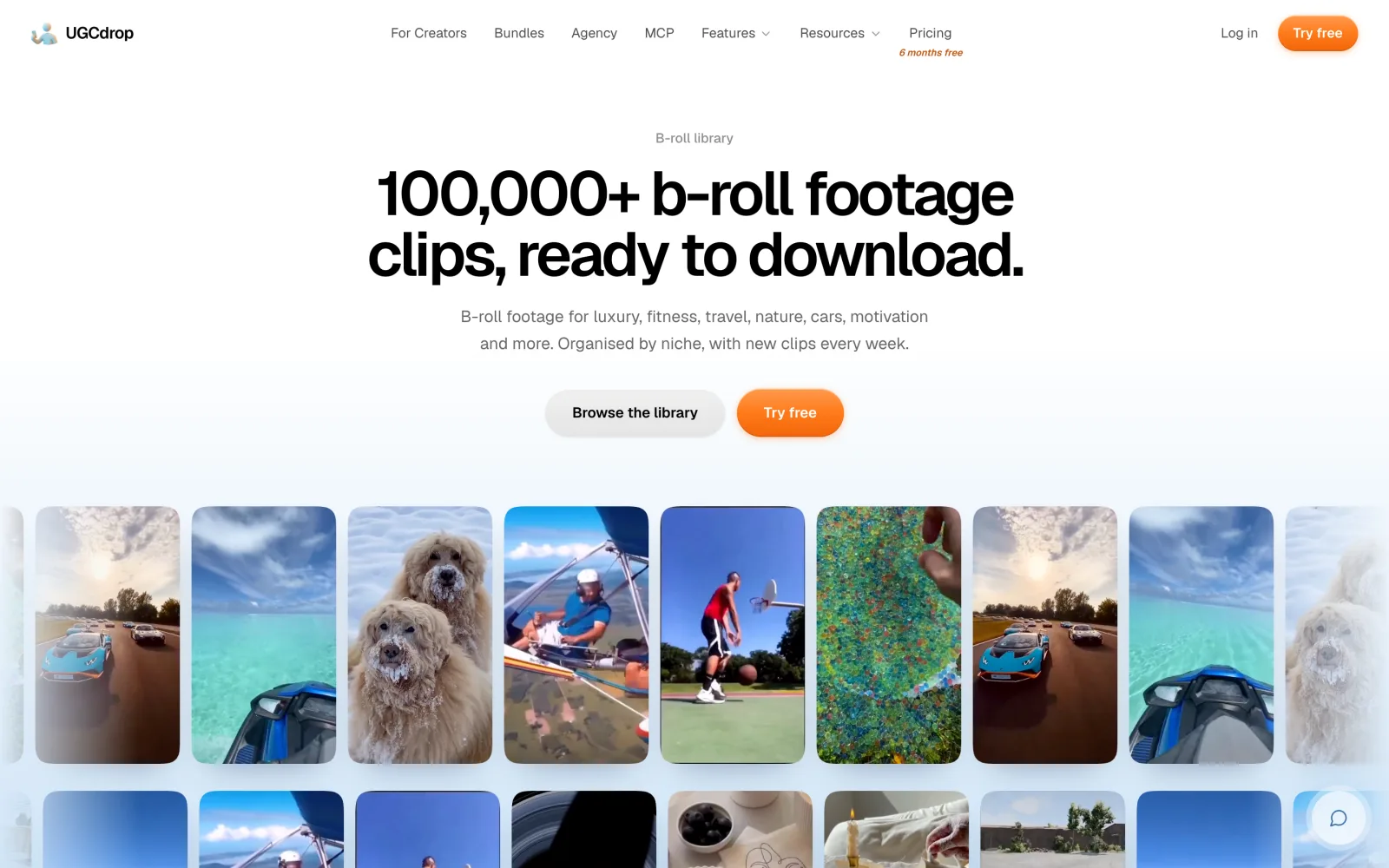
100K B-roll library: 100,000+ clips in niche packs (travel, fitness, nature, cars, motivation and more), included with the Unlimited plan. Simonas's point: on Unlimited these cost no download credits, so they're effectively free once you're subscribed.
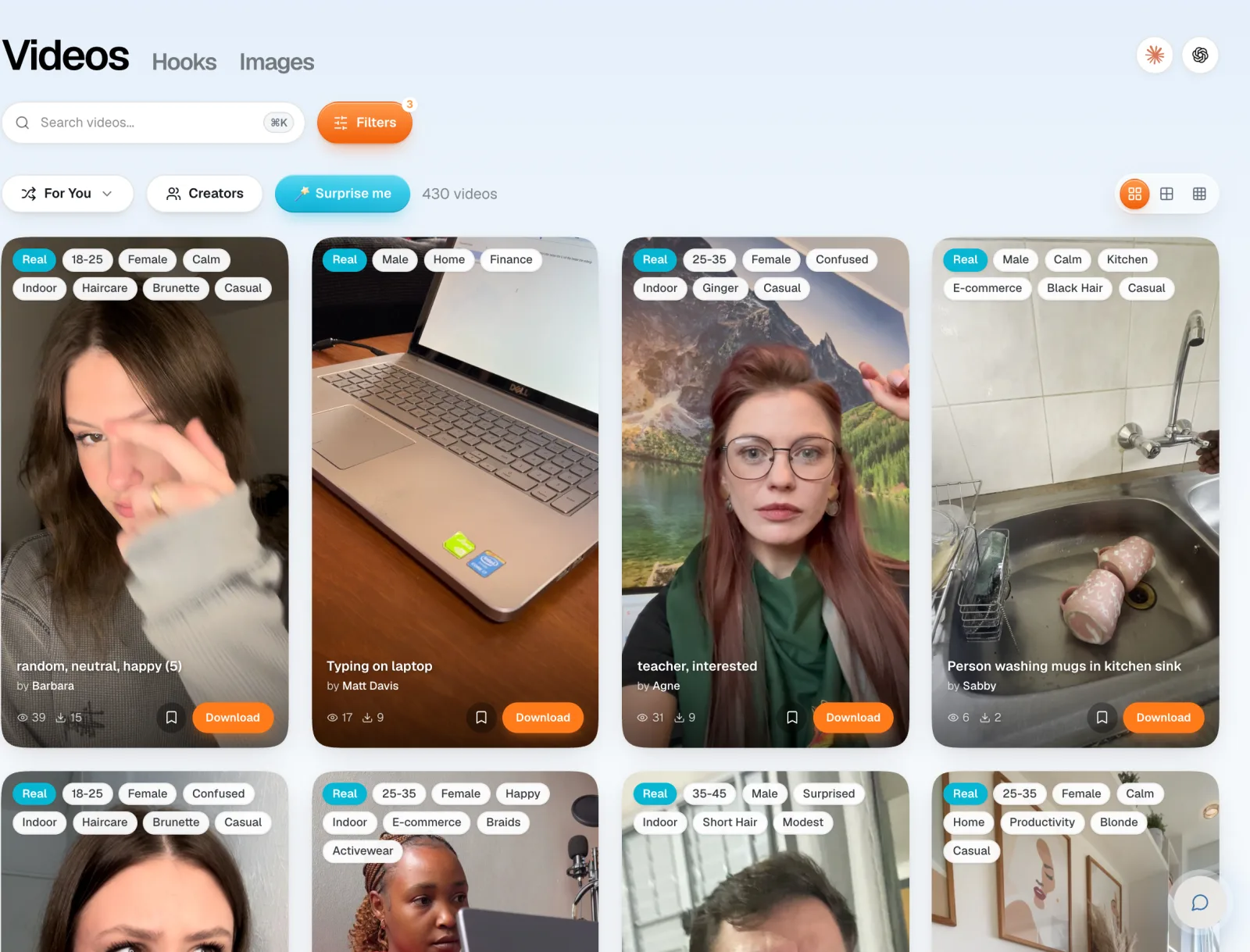
Browse B-roll clips. Previews are free.
What is B-roll footage?
B-roll is the supporting footage you cut to while the main story keeps going. A-roll is the main shot: someone talking to camera, an interview, a creator reacting. B-roll is everything else: hands on a keyboard, a street, a product on a desk, a coffee being poured.
In an ad, the A-roll carries the message and the B-roll shows it. If the voiceover says "I used to spend hours on this", the B-roll is someone buried in paperwork.
The name comes from old film editing. Editors put the main footage on one reel (A) and the cutaway footage on a second reel (B), then mixed them. The tape is long gone, but the name stuck.
Why B-roll matters in ads
It keeps the frame moving. A static talking head or a still background gives the thumb a reason to scroll. A cut every couple of seconds doesn't.
It shows what the words say. Viewers believe what they see more than what they hear.
It hides cuts. Cut to B-roll over a jump cut in a talking clip and nobody notices the edit.
It sets the scene for a demo. A creator opening a laptop makes the cut to a screen recording feel natural.
In the format Simonas uses for apps, SaaS and digital products, a reaction hook opens the ad, then a product demo, over trending audio. B-roll is the glue around that: a bridge into the demo, or a moving background under a text wall.
Best free B-roll footage sites, compared for ads
We read each site's license on October 30, 2026. Licenses change, so check again before a big campaign.
| Site | Cost | Credit needed | Ads allowed | Main catch |
|---|---|---|---|---|
| Pexels | Free | No | Yes | Can't imply the people endorse your product |
| Pixabay | Free | No | Yes | No misleading use; no commercial use of clips showing recognisable brands |
| Mixkit | Free | No | Yes, "online marketing ads" listed | Some clips are under a separate Restricted License |
| Coverr | Free | No | Yes | No model releases; logos and brands in shots not covered |
| Vecteezy (free) | Free | Yes | Digital use only | Video projects capped at a $1,000 budget |
| UGCdrop | From $0.50 per clip | No | Yes | Not free; best fit for apps, SaaS and digital products |
1. Pexels
One of the biggest free libraries. Free for commercial use, edits allowed, no attribution needed. The license says identifiable people can't appear in a bad light, and you can't imply that people or brands in the footage endorse your product. You also can't sell unaltered copies. Best for: scenery, cities, nature, objects.
2. Pixabay
Similar size and similar rules. Free, no attribution. You can't redistribute clips on their own, use content with recognisable trademarks or logos commercially for goods and services, or use content in a misleading or deceptive way. Pixabay also says it's your job to check whether you need third-party consent. Best for: generic B-roll with no people or brands in shot.
3. Mixkit
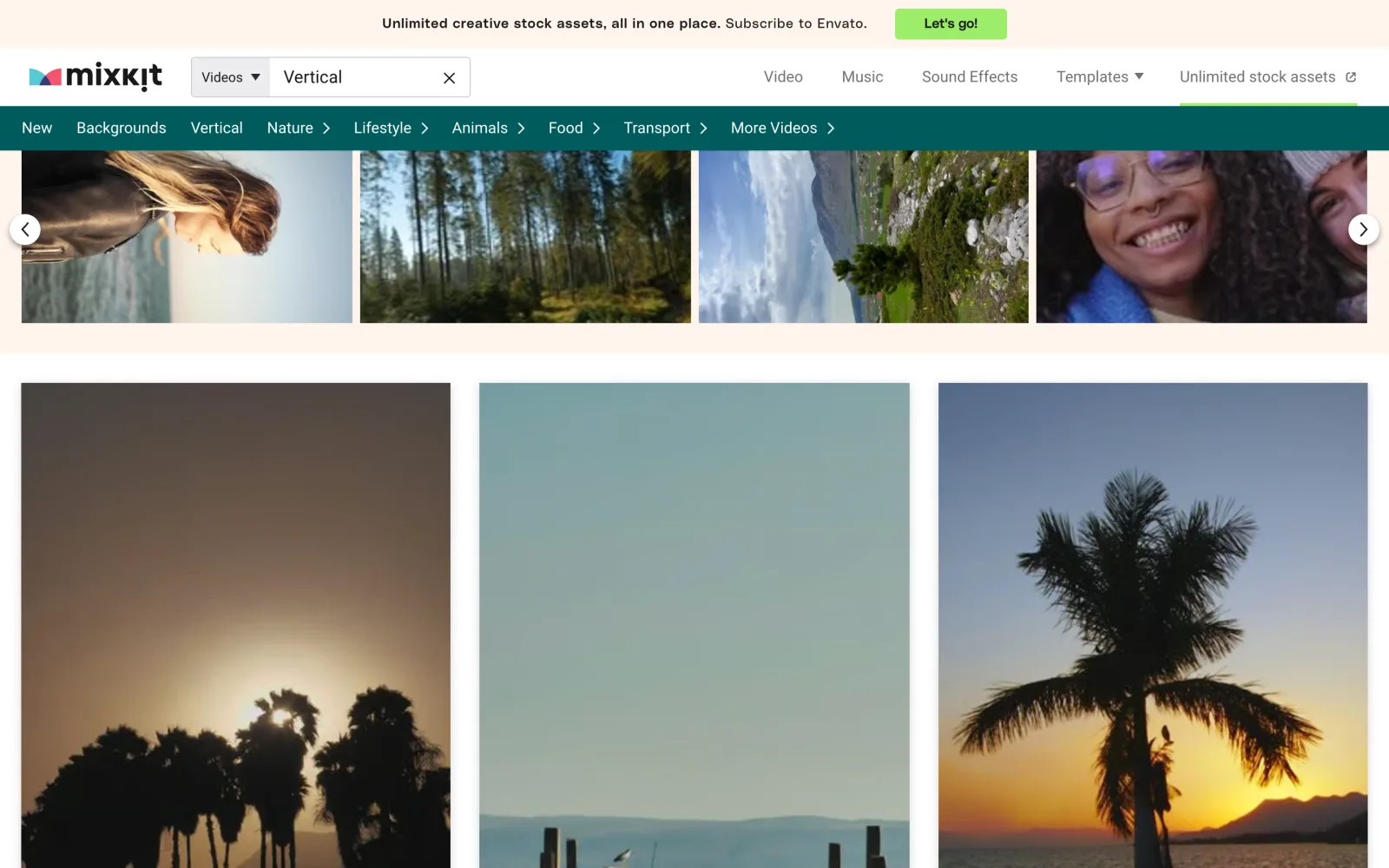
Smaller, but well curated, and owned by Envato. Its Stock Video Free License explicitly lists social media posts and online marketing ads as allowed uses, with no attribution required. Some clips use a Restricted License instead, so check the label on each clip. Mixkit also has a Vertical category, which saves you cropping.
4. Coverr
Free for commercial and non-commercial use with no credit needed. Coverr is open that it doesn't provide model releases, and that recognisable people have rights over commercial use of their likeness. Trademarks and logos in shots aren't covered. You can't resell the clips. Best for: backgrounds and website footage.
5. Vecteezy
The free license requires attribution, which is awkward in a 15-second ad. It also caps video projects at a $1,000 budget and doesn't cover out-of-home advertising. Fine for a small test. For a real campaign you'd need its paid license.
6. Your own phone
The only B-roll that is truly free and fully yours. No license questions, no one else running the same clip, and it already looks like UGC. If you sell a physical product, this is the best source there is, because no library has your product in someone's hands.
The catch with free stock B-roll in ads
Free stock is safe for scenery. It gets risky, and less effective, once people are involved.
It looks like an ad. Stock footage is lit, stabilised and color graded. On a feed full of phone videos, that polish signals "advertisement". Simonas's advice is to avoid stock footage for social and use organic-looking B-roll.
The people aren't your customers. A smiling model next to your offer implies they use it. Pexels bans that kind of implied endorsement, and most ad platforms don't like misleading testimonials either.
Everyone uses the same clips. The top results for "laptop" or "coffee" appear in thousands of videos. Viewers have seen them.
Brands in shot. A visible logo on a laptop or a cup can make a free clip unusable for commercial work on Pixabay and Coverr.
Horizontal by default. Most stock is 16:9. Cropping to 9:16 throws away most of the frame.
Vertical B-roll for TikTok and Reels
Ads on TikTok, Reels and Shorts are vertical, so your B-roll should be too. Three ways to get it:
Search vertical first. Pexels and Pixabay let you filter by orientation. Mixkit has a Vertical category.
Crop horizontal clips. Use a free resize and crop tool to cut 16:9 down to 9:16. Start from 4K if you can, because a 1080p horizontal clip cropped to vertical loses a lot of resolution.
Use footage shot vertical. Phone-shot UGC B-roll is vertical from the start.
Simonas's export settings for ad creatives: 1080p, 24 or 30 fps, and no HDR. HDR footage from newer phones can look washed out or over-bright once a platform compresses it.
Types of B-roll shots for ads
B-roll examples that work in short ads, by goal:
Problem shots: a messy desk, a stressed face at a laptop, a pile of bills. Use them under a pain-point hook.
Routine shots: making the bed, cooking, walking to work. They make the viewer think "that's me".
Screen-adjacent shots: typing, scrolling a phone, opening a laptop. The bridge into a software or app demo.
Result shots: someone relaxed, a clean inbox, a workout finished. Use them after the demo.
Scene-setters: a city at night, a beach, a gym. Free stock works fine here.
Detail shots: hands, objects, textures. Short cuts that keep the pace up.
How to use B-roll in an ad
Hook first, B-roll second. Open with a face. A reaction or a creator talking stops the scroll better than scenery. See UGC stock videos for hook clips.
Cut on the line. Change to B-roll when the voiceover or text names something you can show.
Keep cuts short. One to three seconds per B-roll shot is plenty in a short ad.
Put text over B-roll, not over the face. B-roll gives you clean space for captions and text walls. Keep them inside the platform's safe zone.
Match the look. Don't cut from a phone-shot creator to a cinematic drone shot and back. Mixed looks make an ad feel stitched together.
End on the product. The last shot before the call to action should be your demo or result, not filler.
Shooting your own B-roll on a phone
Film vertical, at 1080p and 30 fps. Turn HDR off.
Use window light. Face the window, not away from it.
Hold still for five seconds per shot. You'll trim it later, but you need clean frames to cut on.
Film the same action three ways: wide, medium and close on the hands. That's three B-roll shots from one take.
Don't over-tidy. A real desk looks more like UGC than a styled one.
Keep logos out of shot unless they're yours.
When free B-roll is enough
For scenery, objects and backgrounds with no people in them, free stock is fine. A city skyline from Pexels or a vertical sunset from Mixkit costs nothing and nobody will judge it. It's also fine for YouTube videos, websites and brand films, where polish is expected.
When the ad needs people who look like real users, free stock falls short on both looks and license. That's when you film your own, or use phone-shot clips from real creators. And if you run many ad variations a month, a library you can filter by age, setting and niche saves hours of searching.
How to get B-roll in UGCdrop
Open the library and filter by Real and B-Roll. Add a setting like Home or Office.
Preview free. Every clip plays with a watermark before you spend anything.
Download with a credit, or drop the clip into Studio between your hook and demo. Rendering is free. Only downloads use credits.
On Unlimited, open the 100K B-roll library for niche packs. These don't use download credits.
Comparing paid B-roll databases instead? See GridBank alternatives.
FAQ
Where can I get free B-roll footage?
Pexels, Pixabay, Mixkit and Coverr are free for commercial use with no attribution. Vecteezy is free with attribution. Or film your own on a phone, which is free and looks the most like UGC.
Is free B-roll footage safe to use in ads?
Mostly, for scenery and objects. Be careful with people and brands: Pexels bans implying that people in a clip endorse your product, and Pixabay and Coverr don't cover logos or trademarks in shot.
Is royalty-free B-roll the same as copyright-free?
No. Royalty-free means you don't pay per use. The creator still owns the copyright and the license sets the rules, like no reselling and no implied endorsement.
Do I need to credit free B-roll sites?
Not for Pexels, Pixabay, Mixkit or Coverr. Vecteezy's free license requires attribution.
What is the difference between A-roll and B-roll?
A-roll is the main footage, like a person talking or reacting to camera. B-roll is the supporting footage you cut to, like hands on a laptop or a street scene.
Why is it called B-roll?
Film editors used to keep the main footage on one reel (A) and the cutaway footage on a second reel (B). The name outlived the reels.
What B-roll works best for TikTok and Reels ads?
Vertical, phone-shot clips of real people doing everyday things. They match the look of the feed. Cinematic stock reads as an ad and is easier to scroll past.
Bottom line
Free B-roll footage is everywhere, and Pexels, Pixabay, Mixkit and Coverr are all usable in ads for scenery and objects. For B-roll with people, free stock looks like advertising and comes with endorsement limits. Film your own, or use phone-shot clips from real creators.